2026-10-29 04:06:00
Kalash 3D Models for CNC Carving, 3D Printing & Decorative Work
Kalash 3D Models for CNC Carving, 3D Printing & Decorative Work
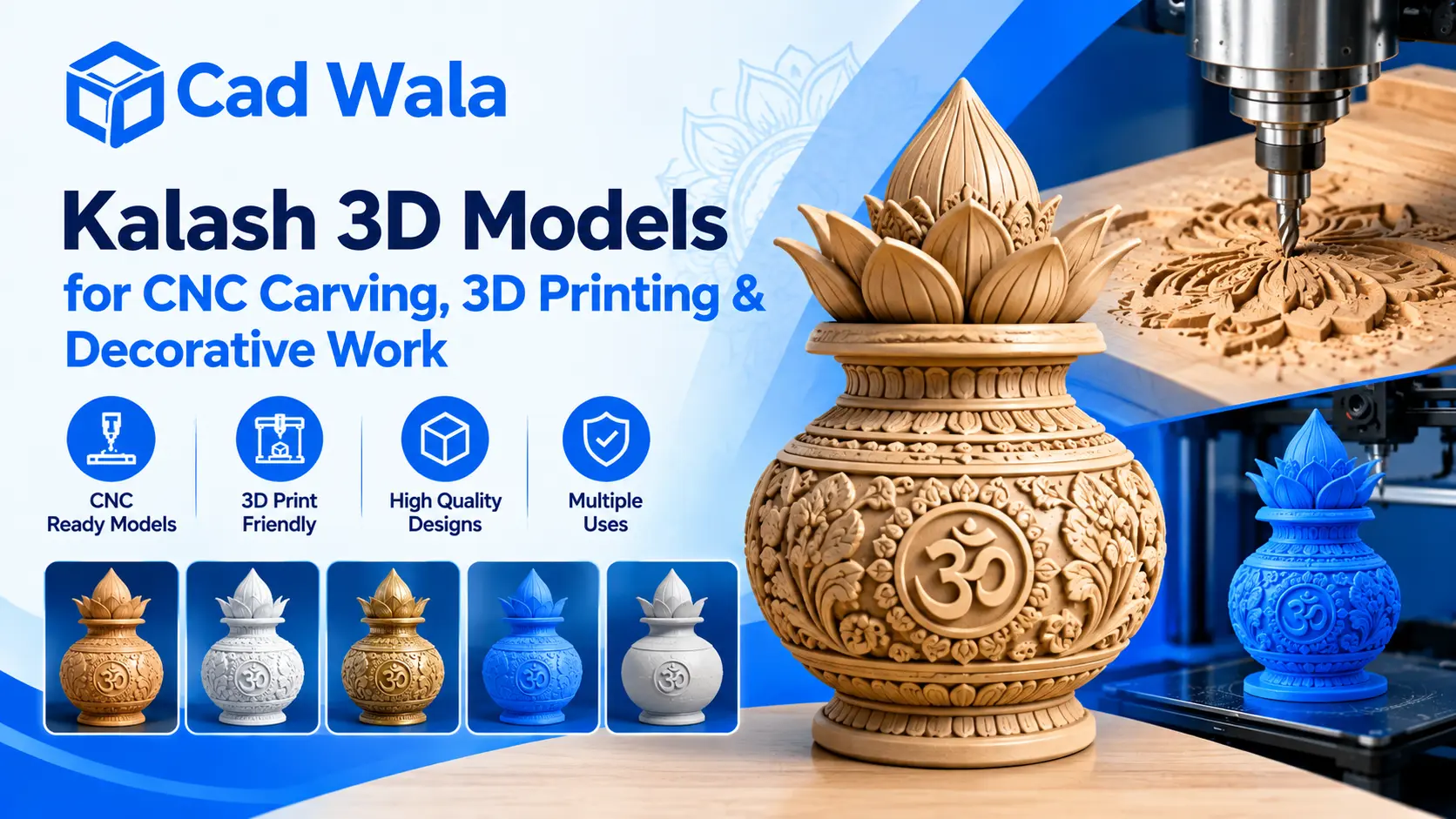
A Kalash 3D model for CNC carving is a useful choice for designers, craftsmen, manufacturers, and artists who want to create traditional Indian decorative designs with modern technology. The Kalash is an important symbol in Indian culture, often associated with auspicious beginnings, prosperity, and religious ceremonies. Its shape is widely used in temple decoration, home interiors, pooja rooms, wooden panels, and decorative products.
Today, 3D modeling makes it easier to recreate this traditional symbol with fine details and accurate shapes. Whether you want to carve a Kalash into a wooden panel, print a small decorative piece, or create a design for a larger project, choosing the right 3D model can help you achieve a clean and attractive result.
In this guide, we will explore how Kalash 3D models are used for CNC carving, 3D printing, and decorative work, along with useful tips for choosing the right file for your project.
What Is a Kalash 3D Model for CNC Carving?
A Kalash 3D model for CNC carving is a digital three-dimensional design that can be used to create a physical Kalash pattern with a computer-controlled carving machine. The model contains information about the shape, depth, curves, and surface details of the design.
Unlike a simple two-dimensional drawing, a 3D model shows the depth and height of different design elements. This makes it useful for creating raised patterns, engraved outlines, decorative borders, and detailed traditional artwork.
For example, imagine a wooden temple door that needs a traditional Kalash design in the center. Instead of drawing the pattern manually and carving it by hand, a designer can use a suitable 3D model to prepare the CNC machining process.
The final result depends on the model quality, material, cutting tool, machine settings, and carving technique. A well-prepared design can help reduce manual work and maintain consistent details across multiple pieces.
Popular Uses of Kalash 3D Design
A detailed Kalash 3D design can be used in many decorative and artistic applications. Its traditional appearance makes it suitable for both religious projects and general interior decoration.
1. Wooden Temple and Pooja Room Decoration
Kalash patterns are often used in home temples, mandir doors, wooden frames, and decorative wall panels. A 3D design allows craftsmen to create raised shapes and curved details that give the finished work a more traditional appearance.
For wooden carving, choose a model with clear contours and suitable depth. Extremely thin details may not work well with larger cutting tools, so the design should match the intended carving size.
2. CNC Carving on MDF and Wooden Panels
MDF, plywood, and natural wood are commonly used for decorative panel work. A Kalash pattern can be added to furniture, wall art, cabinet doors, and interior design elements.
Before machining, check whether the model is suitable for the material and the available CNC machine. The correct toolpath and cutting depth are important for producing clean edges and avoiding unnecessary material damage.
3. Decorative Items and Religious Artwork
Kalash designs can also be used for decorative plaques, festival decorations, gift items, and artistic displays. Designers can adjust the size and surrounding patterns to suit different products.
For example, a small Kalash motif may work well on a decorative plaque, while a larger and more detailed version may be suitable for a temple entrance panel.
Kalash 3D Model for CNC Machine: How to Choose the Right Design
Selecting a Kalash 3D model for CNC machine use requires more than choosing an attractive image. You also need to consider how the model will be machined and whether it matches your project requirements.
Here are some important points to check before downloading or purchasing a design.
Check the File Format
Different CNC software programs support different file formats. Depending on your workflow, you may need an STL, OBJ, 3MF, or another compatible format. Some carving workflows also use formats such as STL or relief-model files that can be imported into CAM software.
Always confirm the supported format in your design software before selecting a model.
Look at the Surface Details
A good model should have smooth curves, clear edges, and well-defined decorative elements. If the Kalash includes leaves, flowers, beads, or ornamental patterns, check whether those details are suitable for your machine and cutting tools.
Very fine details may disappear when a design is carved at a small size. A simpler model can sometimes produce a better result than an overly complicated one.
Consider the Depth of the Design
Some projects need a shallow relief, while others require deeper carving. A shallow Kalash relief may be suitable for a wooden wall panel, whereas a deeper design may be preferred for a decorative centerpiece.
Check the model's depth and overall dimensions before creating toolpaths. You may need to adjust the model according to the available material thickness.
Test the Model Before Full Production
If you plan to produce several pieces, consider making a small test carving first. This helps you identify problems with depth, spacing, tool access, and surface details before using a full-size panel.
Kalash 3D Printing Model: Creating Decorative Objects
A Kalash 3D printing model is designed to help turn a digital design into a physical object using a 3D printer. Instead of carving the design from wood, the printer builds the object layer by layer using a suitable printing material.
This method is useful for creating small decorative Kalash pieces, prototypes, miniature temple accessories, display objects, and custom designs.
For example, if you want a small Kalash decoration for a home temple, you can print a model in a suitable size and finish it according to your preference. You can also test different shapes before deciding which design works best for a larger decorative product.
Before printing, check the following:
- Model dimensions: Confirm that the design fits your printer's build area.
- Mesh quality: Look for a clean, closed model without holes or unwanted geometry.
- Wall thickness: Make sure thin sections are strong enough for the intended use.
- Print orientation: Choose an orientation that supports important details and reduces printing problems.
- Material choice: Select a material based on the object's appearance, strength, and intended environment.
Some models may need supports or adjustments in slicing software. The right settings depend on the printer, material, model geometry, and desired finish.
Kalash STL File for 3D Printing: What Should You Check?
A Kalash STL file for 3D printing contains the surface geometry of a three-dimensional object. STL is a widely used format for 3D printing, although it does not normally store information such as color, material appearance, or complete manufacturing settings.
Before using an STL file, inspect the model carefully.
First, check whether the mesh is watertight. A closed, correctly formed mesh is generally easier for slicing software to process. Next, review the model's scale because downloaded files may use different units or dimensions.
You should also examine small decorative elements. Thin leaves, narrow stems, and sharp ornamental edges may need to be strengthened if the object will be handled regularly.
Finally, preview the sliced model before printing. This helps you identify missing sections, unexpected gaps, and support requirements. If the file is intended for a CNC relief rather than a complete three-dimensional object, make sure it suits your specific workflow.
Tips for Better Results in CNC Carving and 3D Printing
Even a good digital model needs proper preparation. A few simple steps can help you get better results.
- Choose the right scale. A model created for a small decorative object may not work well when enlarged without checking its proportions and fine details.
- Match the design to the material. Wood, MDF, PLA, resin, and other materials behave differently during manufacturing. Select suitable machine settings and finishing methods for your chosen material.
- Check the software requirements. Confirm that your CAD, CAM, or slicing software can open the selected file and process its geometry correctly.
- Pay attention to finishing. Sanding, polishing, painting, or applying an appropriate protective coating can improve the appearance of a completed decorative piece.
- Respect the purpose of the design. When creating a Kalash for a religious or cultural setting, consider its intended placement, proportions, and surrounding decorative elements.
These steps are useful for hobbyists working on one piece as well as businesses producing decorative products in larger quantities.
Where Can You Use Kalash 3D Models for Decorative Work?
Kalash 3D models are suitable for several types of projects, including:
- Wooden temple panels and mandir doors
- CNC-carved wall decorations
- Furniture and cabinet ornamentation
- Decorative plaques and nameplates
- Printed miniatures and display pieces
- Festival decorations and customized gifts
- Architectural and interior design elements
The best model depends on the final product. For example, a CNC-carved wooden panel may need a relief model with suitable depth, while a 3D-printed decorative object may require a complete solid shape.
Before selecting a file, review its preview images, dimensions, format, permitted usage, and technical requirements. These checks can save time and help you choose a design that fits your project.
Conclusion
A Kalash 3D model for CNC carving offers a practical way to bring a traditional Indian design into modern decorative work. From wooden temple panels to customized interior decorations, a suitable model can help create detailed patterns with consistent shapes and proportions.
Kalash 3D designs can also be used for 3D printing, miniature objects, and decorative prototypes. The key is to choose the correct file format, examine the model's geometry, and match its details to your machine, material, and project size.
Whether you are a CNC operator, a 3D printing enthusiast, or a designer creating traditional artwork, taking time to prepare the model properly can improve the final result. With the right design and manufacturing process, the traditional Kalash motif can become a beautiful part of a wide range of modern decorative products.